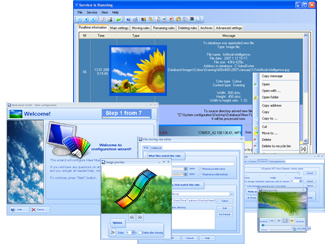

Organize Digital Photos Pro
Version 6.28
Shareware
$39.95
1 downloads
Organize Digital Photos: with Photo Organizer
(Automatic Photo Organizer) software. How to organize
digital photos? How to organize photos by date taken?
All photos can be organized, sorted, cleared from
duplicates with automatic photo organizer. Photo
organizer software can Automatically organize photos,
Sort photos by date taken (and using Many other ways),
batch Rename photos and Remove duplicate photos.
Organize Photos Automatically - Download photo
organizer at PhotoSorter.eu
Organize Photos - As you Want:
~ Organize Digital Photos: organize photos by Date
taken, organize photos by time, organize photo files
by year, sort photos by month - now sort photos by
Exif / Iptc / Xmp tags too
~ Digital photo organizer now sorts photos
For example, Digital photo organizer can Organize
digital photos by XMP photo tags. XMP stands
for "Extensible Metadata Platform", an XML/RDF-based
(Automatic Photo Organizer) software. How to organize
digital photos? How to organize photos by date taken?
All photos can be organized, sorted, cleared from
duplicates with automatic photo organizer. Photo
organizer software can Automatically organize photos,
Sort photos by date taken (and using Many other ways),
batch Rename photos and Remove duplicate photos.
Organize Photos Automatically - Download photo
organizer at PhotoSorter.eu
Organize Photos - As you Want:
~ Organize Digital Photos: organize photos by Date
taken, organize photos by time, organize photo files
by year, sort photos by month - now sort photos by
Exif / Iptc / Xmp tags too
~ Digital photo organizer now sorts photos
For example, Digital photo organizer can Organize
digital photos by XMP photo tags. XMP stands
for "Extensible Metadata Platform", an XML/RDF-based
Program details
Publisher
Thomas DuhamelE-mail
Contact the publisherPlatforms
Windows XPFile size
27612 KBFile date
9/3/2012License
SharewareInstallation
Install & UninstallRecord updated
3/20/2012


