Capture By George!
Version 2.51
Shareware
$29.95
2 downloads
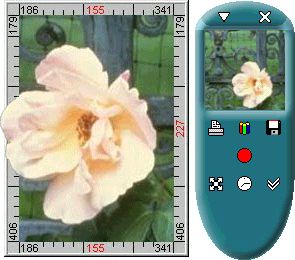
Capture By George! is an advanced Windows screen
capture application that offers an easy and intuitive
method of making screen captures.
Simply select the screen region to capture before
pressing the Capture button; not after as with many
other screen capture applications. With Capture By
George!, you can save time and enhance your screen
shots. Capture By George! will help you make quick and
easy screen captures for any purpose:
- Capture a window or any part of the Windows desktop
to use in documentation.
- Print screens to design program interfaces.
- Use captured images in hypertext books or computer
based training software.
- Save a message screen to send to technical support
for a quick description of the issue.
- Publish your screenshots on the web.
You can choose among five file formats (BMP, JPEG,
GIF, PNG, TIFF), adjust color and dithering settings
to achieve the optimal result.
Adjustments are visualized in real-time, providing the
ability to compare simultaneously up to four different
results for saving in various formats and compression
levels.
The program features customizable system wide hotkeys,
timer allowing to capture menus, the "Capture cursor"
and other options. Batch mode added allowing the user
to capture and save images automatically using the
command line parameters.
Quick size guide added.
capture application that offers an easy and intuitive
method of making screen captures.
Simply select the screen region to capture before
pressing the Capture button; not after as with many
other screen capture applications. With Capture By
George!, you can save time and enhance your screen
shots. Capture By George! will help you make quick and
easy screen captures for any purpose:
- Capture a window or any part of the Windows desktop
to use in documentation.
- Print screens to design program interfaces.
- Use captured images in hypertext books or computer
based training software.
- Save a message screen to send to technical support
for a quick description of the issue.
- Publish your screenshots on the web.
You can choose among five file formats (BMP, JPEG,
GIF, PNG, TIFF), adjust color and dithering settings
to achieve the optimal result.
Adjustments are visualized in real-time, providing the
ability to compare simultaneously up to four different
results for saving in various formats and compression
levels.
The program features customizable system wide hotkeys,
timer allowing to capture menus, the "Capture cursor"
and other options. Batch mode added allowing the user
to capture and save images automatically using the
command line parameters.
Quick size guide added.
Program details
Publisher
Svet-SoftE-mail
Contact the publisherPlatforms
Windows 95<br>Windows 98<br>Windows ME<br>Windows File size
1184 KBFile date
2/19/2004License
SharewareExpiration info
Until you purchase, this trial version embeds Installation
Install & UninstallRecord updated
2/19/2004

