
Typeeto
Version 1.4.118
Commercial Demo
$19.95
2 downloads
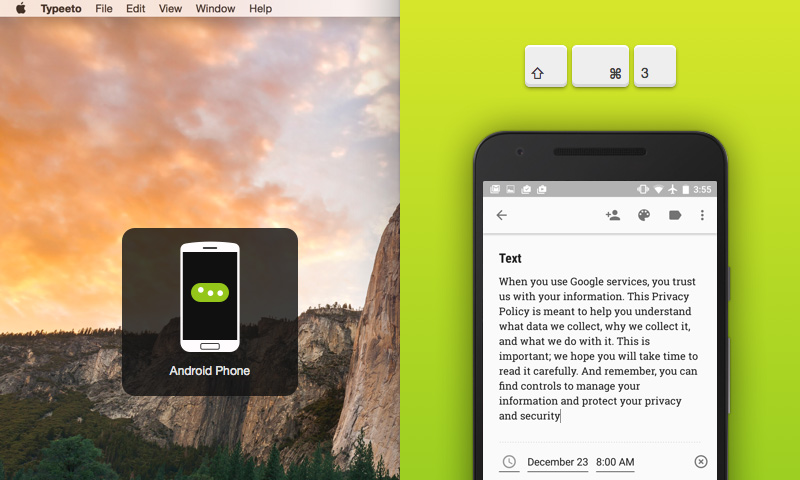
Typeeto is a handy Mac app that enables you to use your Mac keyboard as a Bluetooth keyboard for iPad, iPhone, Apple TV, Android, and many other different devices. Now you can use a full-scale keyboard to type in a text and it will be displayed in real-time on your device screen. You do not need to install any other apps on your device – just connect it to Mac and start typing.
With Typeeto you can:
– Write long messages on Mac and send them from mobile devices
– Use a full-scale keyboard to manage your Apple TV or game console connected to TV
– Manage music playback on your devices
Why Typeeto?
– Connect any number of devices to Mac
– Switch between devices with hotkeys
– Save your time and effort - you do not need to set up an extra keyboard separately
How to start?
– Turn on Bluetooth on Mac and a device you’d like to connect, make sure that both of them are discoverable;
– Go to Bluetooth settings on Mac and pair the device;
– Connect your device to Mac.
That's it! Your device is connected - start typing away.
With Typeeto you can:
– Write long messages on Mac and send them from mobile devices
– Use a full-scale keyboard to manage your Apple TV or game console connected to TV
– Manage music playback on your devices
Why Typeeto?
– Connect any number of devices to Mac
– Switch between devices with hotkeys
– Save your time and effort - you do not need to set up an extra keyboard separately
How to start?
– Turn on Bluetooth on Mac and a device you’d like to connect, make sure that both of them are discoverable;
– Go to Bluetooth settings on Mac and pair the device;
– Connect your device to Mac.
That's it! Your device is connected - start typing away.
Program details
Publisher
Eltima Mac SoftwareE-mail
Contact the publisherPlatforms
Mac OS XFile size
6660 KBFile date
2/16/2016License
Commercial DemoExpiration info
Installation
Please, select an Installation TypeRecord updated
8/14/2016