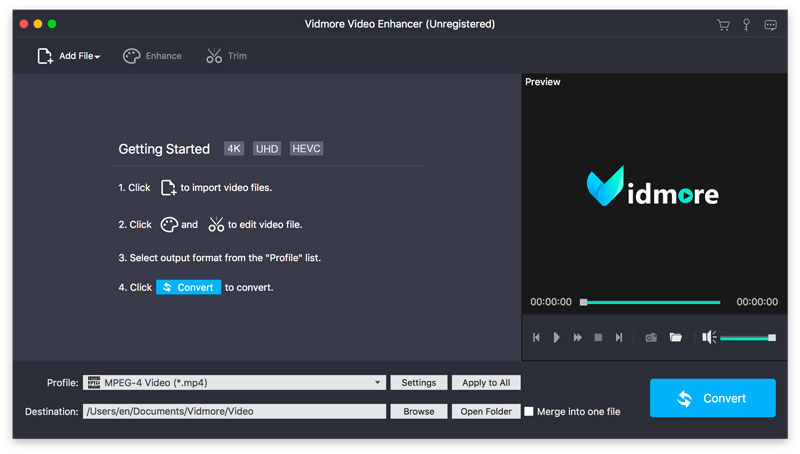

Vidmore Video Enhancer for Mac
Version 1.0.16
Shareware
$12.45
1 downloads
Vidmore Video Enhancer for Mac is skilled at improving video quality. It could upscale resolution, remove image noise, reduce video shaking. It also allows you to rotate/crop/trim your videos.
Key functions:
1. Upscale resolution, optimize brightness and contrast
Vidmore Video Enhancer for Mac enables you to upscale your videos from low resolution to high which will create cleaner videos for you. In addition, it could also adjust the brightness, contrast, hue of your videos to improve the light, color balance, etc.
2. Remove image noise, reduce video shaking
If you are annoyed with the image noise of your videos, Vidmore Video Enhancer for Mac could help you. It is able to remove the disturbing image noise of your videos. And it also allows you to fix the shaky videos and let you get more professional videos.
3. Rotate, crop, trim videos
Vidmore Video Enhancer for Mac could help you rotate videos vertically and horizontally as you want. Moreover, it lets you crop the video and cut off the part you do not want easily. You could also divide a long video into several short videos.
4. Merge videos, add watermark to videos
If you would like to merge your videos, Vidmore Video Enhancer for Mac could do this for you. It could not only merge your videos, but also add text or watermark to your videos and make your videos more wonderful.
Key functions:
1. Upscale resolution, optimize brightness and contrast
Vidmore Video Enhancer for Mac enables you to upscale your videos from low resolution to high which will create cleaner videos for you. In addition, it could also adjust the brightness, contrast, hue of your videos to improve the light, color balance, etc.
2. Remove image noise, reduce video shaking
If you are annoyed with the image noise of your videos, Vidmore Video Enhancer for Mac could help you. It is able to remove the disturbing image noise of your videos. And it also allows you to fix the shaky videos and let you get more professional videos.
3. Rotate, crop, trim videos
Vidmore Video Enhancer for Mac could help you rotate videos vertically and horizontally as you want. Moreover, it lets you crop the video and cut off the part you do not want easily. You could also divide a long video into several short videos.
4. Merge videos, add watermark to videos
If you would like to merge your videos, Vidmore Video Enhancer for Mac could do this for you. It could not only merge your videos, but also add text or watermark to your videos and make your videos more wonderful.
Program details
Publisher
Vidmore StudioE-mail
Contact the publisherPlatforms
Mac OS XFile size
48282 KBFile date
4/9/2024License
SharewareExpires on
6/6/2022Expiration info
Installation
Install & UninstallRecord updated
5/8/2024


