
Aiseesoft iPhone Cleaner
Version 1.0.50
Shareware
$15.96
0 downloads
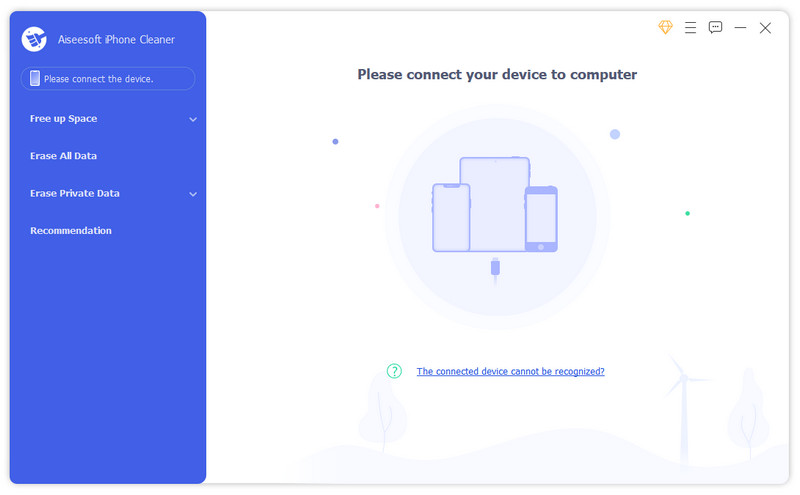
Want to erase unnecessary data in your iPhone to free up more space but tired of deleting them one by one manually? Aiseesoft iPhone Cleaner can do you a good favor. Whether you want to wipe all the data on your iPhone permanently in case of privacy disclosure, or delete some specific files or file types selectively, Aiseesoft iPhone Cleaner can meet your demands.
Key features:
1. Clean up junk files easily
Aiseesoft iPhone Cleaner enables iOS users to remove temporary files, crash logs, system junk files, caches like iTunes Cache, camera roll, photo stream, photo library, etc. easily.
2. Delete large files
You can use iPhone Cleaner to scan out all the large files on your iOS devices and clean them up according to your need.
3. Uninstall unused apps
Aiseesoft iPhone Cleaner is able to detect and present all apps on your iDevice, along with the storage they occupy. You can select and uninstall those you no longer or seldom use.
4. Wipe all data permanently, erase private data
If you need to erase all the data on your iOS device, Aiseesoft iPhone Cleaner can help you wipe data permanently and completely in one click. There is no way to recover the deleted data after deleting it, so you do not need to worry about privacy disclosure. In addition, you could use the Erase Private Data function to wipe your private data and no one will know these data.
5. Preview data before cleaning
Aiseesoft iPhone Cleaner comes with a preview feature to let you preview the scanned results before erasing to avoid mistaken deletion.
Key features:
1. Clean up junk files easily
Aiseesoft iPhone Cleaner enables iOS users to remove temporary files, crash logs, system junk files, caches like iTunes Cache, camera roll, photo stream, photo library, etc. easily.
2. Delete large files
You can use iPhone Cleaner to scan out all the large files on your iOS devices and clean them up according to your need.
3. Uninstall unused apps
Aiseesoft iPhone Cleaner is able to detect and present all apps on your iDevice, along with the storage they occupy. You can select and uninstall those you no longer or seldom use.
4. Wipe all data permanently, erase private data
If you need to erase all the data on your iOS device, Aiseesoft iPhone Cleaner can help you wipe data permanently and completely in one click. There is no way to recover the deleted data after deleting it, so you do not need to worry about privacy disclosure. In addition, you could use the Erase Private Data function to wipe your private data and no one will know these data.
5. Preview data before cleaning
Aiseesoft iPhone Cleaner comes with a preview feature to let you preview the scanned results before erasing to avoid mistaken deletion.
Program details
Publisher
Aiseesoft StudioE-mail
Contact the publisherPlatforms
Win7 x32,Win7 x64,Win8 x32,Win8 x64,Windows 10,WinServer,Windows XP,WinVista x64,WinOtherFile size
2009 KBFile date
12/19/2024License
SharewareExpires on
1/18/2024Expires after
30 daysInstallation
Install & UninstallRecord updated
12/20/2024