
Convert Excel to EXE 4dots
Version 2.2
Shareware
$9.00
1 downloads
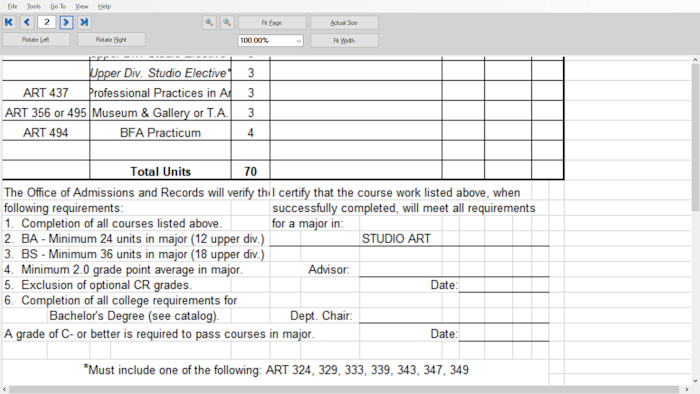
Convert Excel to exe - xls to exe - xlsx to exe.It is not necessary to have Microsoft Office and Excel installed to view the converted executable. Protect converted executable with a password. Set maximum viewing time, time, date restrictions e.g. teacher can specify maximum viewing time for students Set username, computer name, domain name, unique machine signature restrictions for more security.Specify permissions for functions of the exe.
It is not necessary to have Microsoft Office and Excel installed to view the generated slideshows
Share your xls and xlsx Excel slideshow to users that do not have Excel installed
Converted executable has less file size than videos and can be shared via email as a ZIP archive
Slideshow can run any computer with Windows and .NET 4.5 installed
Protect converted executable with a password
Set maximum viewing time, time, date restrictions e.g. teacher can specify maximum viewing time for students
Set username, computer name, domain name, unique machine signature restrictions for more security
Specify permissions for functions of the converted executable
Converted executable viewer has many features such as zoom, draw on screen, save image, print e.t.c.
Customize GUI of converted executable e.g. executable icon, splash screen, messages e.t.c.
Set image transition effect, stay duration for each slide
Encrypt excel slideshow
Set password for converted executable
Prevent converted executable from modification
Add company logo to slideshow
Add watermark image to slideshow
Specify icon for converted executable
Customize GUI of converted executable e.g. splash screen, messages, about text
Disallow fullscreen
Disallow print screen key globally to prevent copying of contents
Disallow save image
Disallow document properties
Disallow export images
Disallow drawing
Require UAC admin permissions for open
Specify maximum view times
Specify maximum print times
It is not necessary to have Microsoft Office and Excel installed to view the generated slideshows
Share your xls and xlsx Excel slideshow to users that do not have Excel installed
Converted executable has less file size than videos and can be shared via email as a ZIP archive
Slideshow can run any computer with Windows and .NET 4.5 installed
Protect converted executable with a password
Set maximum viewing time, time, date restrictions e.g. teacher can specify maximum viewing time for students
Set username, computer name, domain name, unique machine signature restrictions for more security
Specify permissions for functions of the converted executable
Converted executable viewer has many features such as zoom, draw on screen, save image, print e.t.c.
Customize GUI of converted executable e.g. executable icon, splash screen, messages e.t.c.
Set image transition effect, stay duration for each slide
Encrypt excel slideshow
Set password for converted executable
Prevent converted executable from modification
Add company logo to slideshow
Add watermark image to slideshow
Specify icon for converted executable
Customize GUI of converted executable e.g. splash screen, messages, about text
Disallow fullscreen
Disallow print screen key globally to prevent copying of contents
Disallow save image
Disallow document properties
Disallow export images
Disallow drawing
Require UAC admin permissions for open
Specify maximum view times
Specify maximum print times
Program details
Publisher
4dots SoftwareE-mail
Contact the publisherPlatforms
Win7 x32,Win7 x64,Win8 x32,Win8 x64,Windows 10,WinServer,Windows XP,Windows 2000,Windows NT 4.xFile size
33096 KBFile date
1/10/2021License
SharewareExpires after
15 daysInstallation
Install & UninstallRecord updated
4/6/2023