|
|
 Outlook Express Address Book to Excel
-
Version
2.0
Outlook Express Address Book to Excel
-
Version
2.0
If you do not want to lose, your essential email
contacts of Outlook Express and if you want to recover
access to all you WAB file contacts then you should
try WAB Converter of SysTools labs to export Outlook
Express Address Book to Excel. The most important
thing is that Convert Outlook Express Contacts
supports ANSI as well as Unicode file format at the
time of conversion. After you export contacts from
Outlook Express to Excel, you will be able to right to
use them in Excel XLS file. Our software supports
Windows 98, ME, 2003, 2000, XP and Vista. WAB to XLS
conversion tool also export WAB file information to MS
Outlook (PST) file. WAB Converter supports both ANSI
Unicode file format at the time of conversion. With
our software, you can easily import WAB to Outlook
2003, export Outlook Address Book to Outlook 2007 and
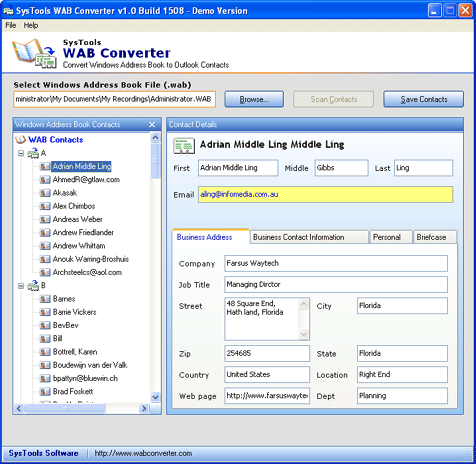
other Outlook versions. Steps to Convert Outlook
Express Contacts to Excel are as follows: 1. Open
SysTools WAB Converter 2. Browse and select WAB file
3. Scan contacts 4. Save Contacts 5. Choose conversion
format 6. Start conversion 7. Browse the location
|